BIM DELIVERY & AUTOMATION
Make BIM information reliable. Reduce manual work.
Check model data, automate repetitive tasks, and prepare better project handovers.

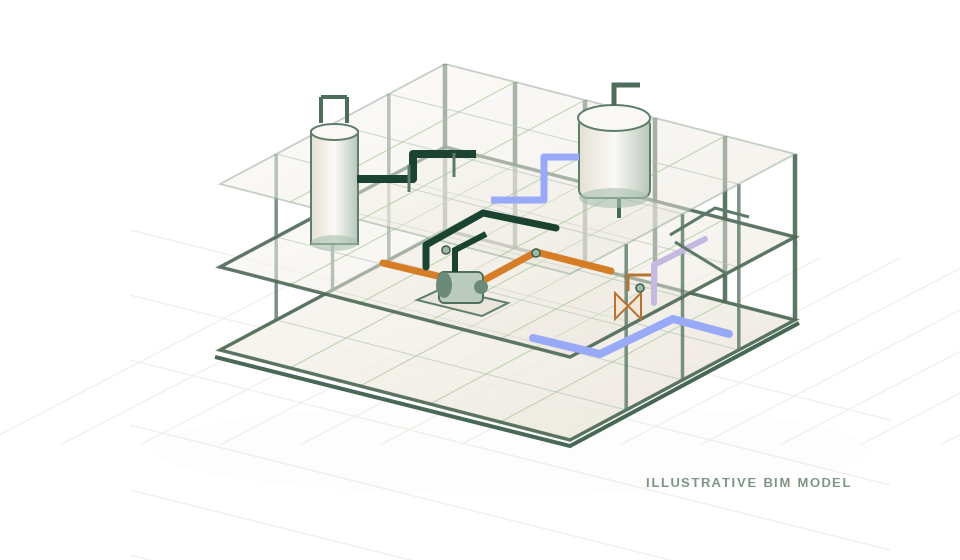
Illustrative BIM visual. Not a real project model.
WHAT WE SOLVE
Improve the BIM work that matters.
Check required model properties and flag gaps.
Reduce manual checks and exports.
Organise asset data for handover.
Sample findings
Missing Asset ID — P-101 transfer pump
Review requiredAn ID required for handover is missing. Confirm the requirement and recheck.
Finding details
What's missing: The sample pump has no Asset ID.
Why it matters: If required for handover, the missing ID may affect asset-register matching.
Next step: Confirm the rule, assign the approved ID and recheck affected equipment.
Illustrative demo only. No real BIM model is analysed or uploaded.
 IYAL DIGITAL
About Iyal Digital
BIM information checks and workflow automation for reliable project handovers.
Direct email: muthukumar@iyaldigital.com
Discuss your project
Email us with a brief description of your BIM task, workflow or handover issue.
Please do not send confidential models or drawings in your first email.
FAQs
Show FAQs Hide FAQs
Why can a BIM model look complete but lack required data?
Geometry may look finished while Asset IDs, classifications or handover properties are blank. Compare property data with agreed project requirements before submission.
How is information assurance different from clash detection?
Clash detection checks physical overlaps; BIM information assurance checks properties, naming, classifications and tags against agreed requirements. A clash-free model can still have data gaps.
Must we share a confidential Revit model for an audit?
Depending on the agreed checks, exported schedules, CSV extracts or IFC property data may be enough. Confirm what is needed before sharing files.
What will a parameter review deliver?
Agree the checks and report format first. A findings report lists identified data gaps, duplicate tags and classification issues, with suggested corrections.
Which BIM tasks can be automated?
Candidates include schedule exports, formatting and parameter updates. Dynamo, pyRevit or Python may be appropriate after reviewing the task, inputs and checks.
Which standards and classifications can be checked?
Checks can be defined against agreed PIR, EIR, BEP, COBie fields, Uniclass or OmniClass codes where applicable. ISO 19650 principles may inform the workflow; an audit is not certification.
Will you replace our BIM managers or model consultants?
Iyal Digital supports your BIM team with scoped data checks and repeatable workflows. Your team keeps responsibility for decisions and approvals.
Which BIM tools and formats can you work with?
Relevant experience includes Revit, Navisworks Manage, AutoCAD, IFC/openBIM, Excel and CSV. Confirm file versions, available exports and required integration for your project.
When should we review BIM information?
Consider a review before design submissions, tender or procurement releases, and handover. Plan timing around your milestones and the data available; there is no fixed lead time.
How do we start a review with Iyal Digital?
Email muthukumar@iyaldigital.com with your milestone, data requirement or repetitive task. Describe the problem first; do not attach confidential models or drawings to the initial email.